Ask, then review
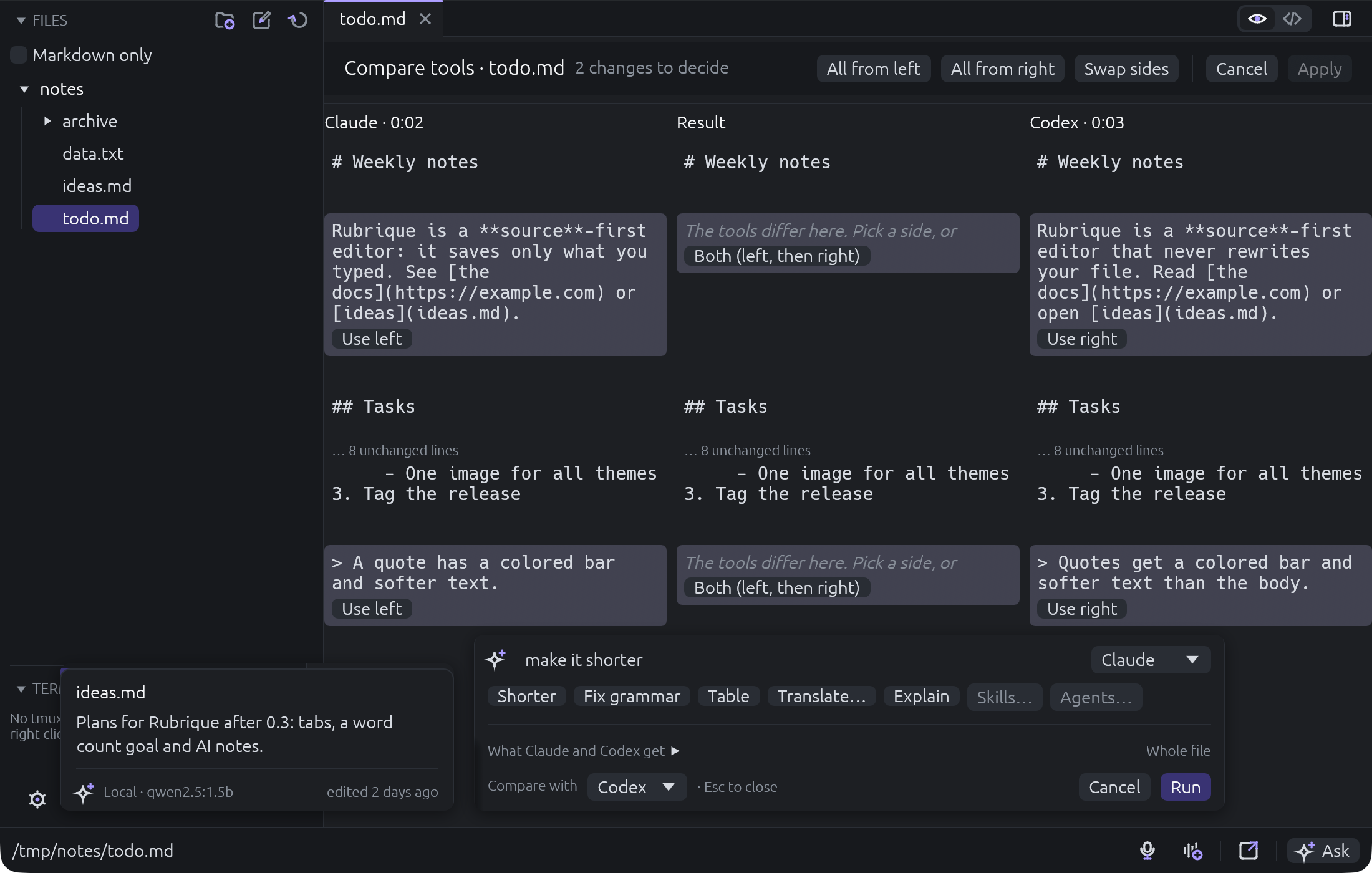
Cmd+K takes a request of your own, or Shorter, Fix grammar, Table, Translate, Explain. The answer opens in a merge screen and nothing applies until you accept.
 Rubrique
Download
macOS and Linux · Rust · MIT
Write in a small native editor that saves exactly what you typed: Markdown with a live preview, plus plain text, JSON, SQL and XML. Press Cmd/Ctrl+K to hand the text to an agent. Review the change, then accept or reject it.
One you would use with no agent installed. Opens fast, keeps plain files, never reformats what you wrote.
Nothing runs in the background. One shortcut, one request, one passage.
Every answer opens in a merge screen. Accept it, reject it, or keep the parts you like.
Features
Cmd+K takes a request of your own, or Shorter, Fix grammar, Table, Translate, Explain. The answer opens in a merge screen and nothing applies until you accept.
Compare
Send the same ask to two agents and keep the best of each, side by side.
Skills
@ai- to pick oneNamed agents and skills from Claude Code, Codex and Grok, listed in Settings.
Notes
Mark a passage with a note. An agent answers it in place when you ask.
Preview
Live Markdown preview. In a table, click a cell and edit just that cell.
Terminals
Each terminal shows its agent's status: working, needs you, idle. Hand a step of any document to one with @tmux-qa: check this.
Files
Remote
Open a folder on another machine next to your local ones and edit it like any other. Off by default, switched on in Settings.
Voice
Record with Cmd+Shift+R. whisper.cpp runs on your computer.
Scratch
Scratch files, each one encrypted or not, with an optional app PIN.
Format
Cmd+Shift+F formats the file. Helm charts render and lint.
Agents
Rubrique finds them on your PATH and offers the install command when one is missing. No API keys, no account. Agents are read-only by default.
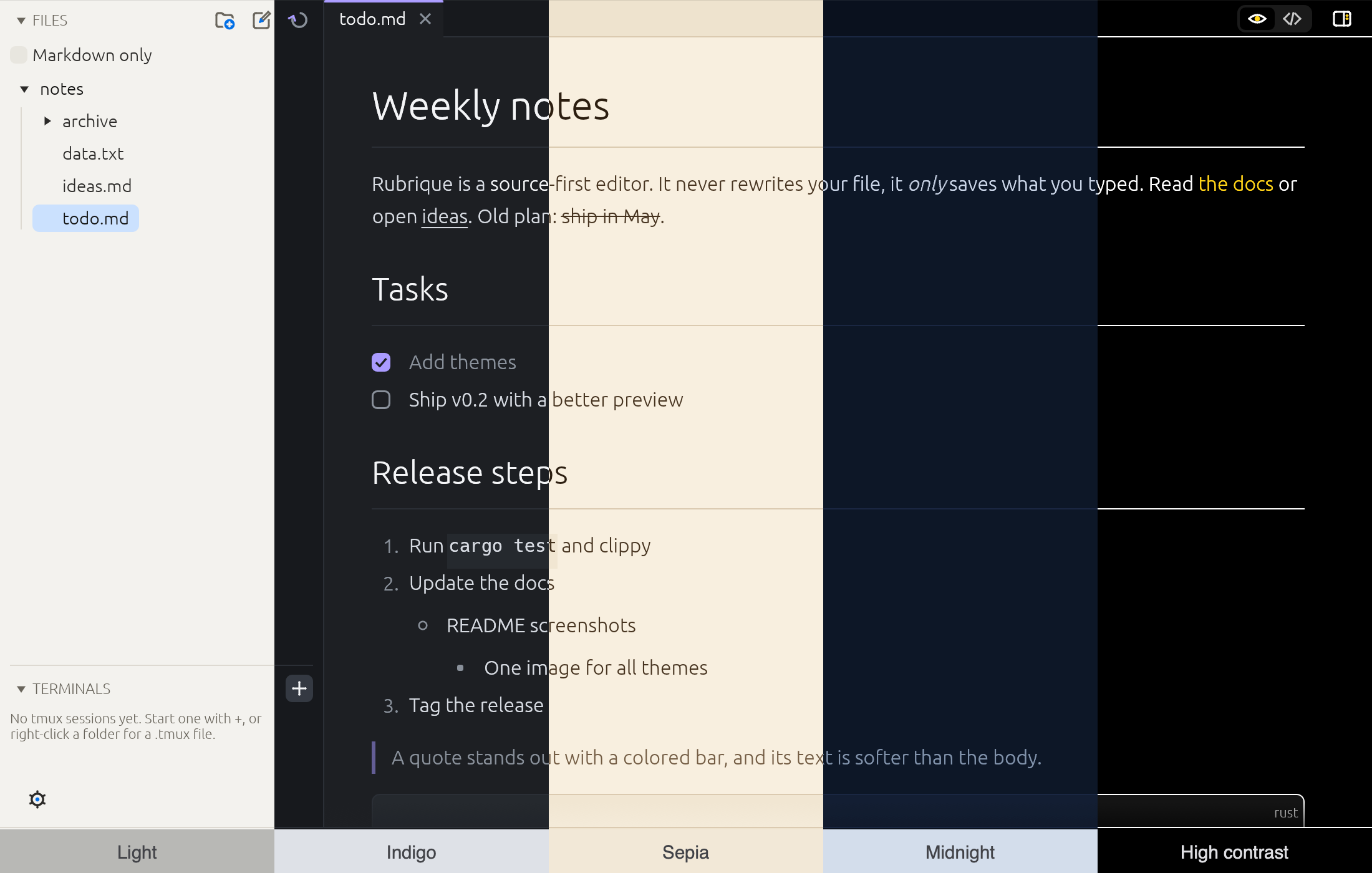
Themes
Install
Open the .dmg and drag Rubrique to Applications. The app is signed and notarized by Apple, so it opens without a warning.
sudo apt install ./rubrique_X.Y.Z-1_amd64.debtar -xzf rubrique-X.Y.Z-linux-x86_64.tar.gz
cd rubrique-X.Y.Z-linux-x86_64 && ./install.shI'm a senior software engineer. For about nine years I have written Python backends for clinical trials and pharma, telecommunications and data platforms, and I also build services in Rust and Go.
I work with Codex and Claude every day. I wanted an editor that stays small and fast, keeps my files exactly as I typed them, and calls an agent only when I ask. That editor is Rubrique.